![logo-green.png]](https://www.help.archer.re/hs-fs/hubfs/logo-green.png?height=40&name=logo-green.png)
What Autopilot does
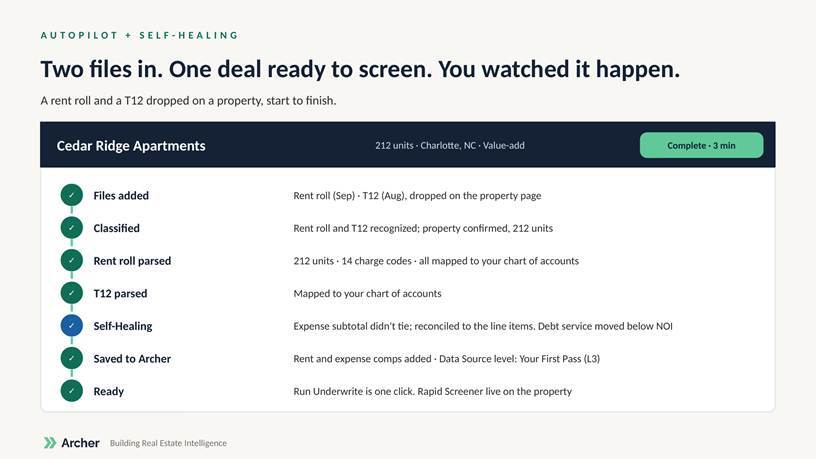
Autopilot runs a parse from upload to save without you clicking through each step. Drop a rent roll, a T12 or a PLRR into Archer and it classifies the document, extracts every line, maps it to your chart of accounts, and saves the result. Each step runs in front of you. You can choose where to get involved or let it self-drive.
When the parse is saved, Run Underwrite is one click, as it is today.
Autopilot is in beta. The manual parse path is unchanged and you can switch back to it at any time.
What Self-Healing does
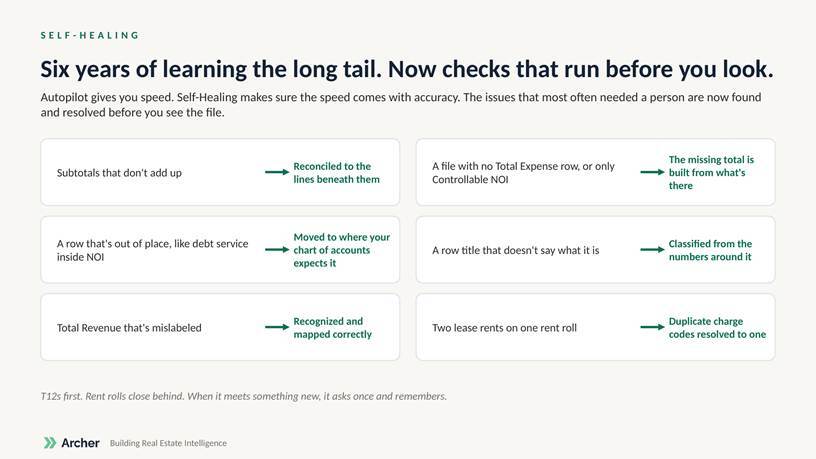
Self-Healing runs alongside Autopilot. Before you see the file, Archer checks for the issues that most often needed a person and resolves them:
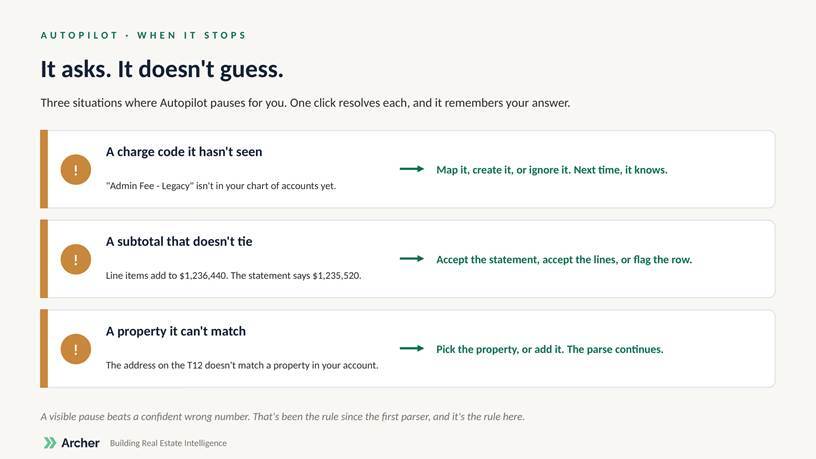
- A charge code it hasn’t seen in your account. Map it to an existing line, create a new one, or ignore it. Your choice is remembered.
- A subtotal it can’t reconcile. Accept the statement total, accept the line items, or flag the row for review.
- A property it can’t match. Pick the property, or add it. The parse continues.
T12s first; rent rolls close behind. When Archer meets something it can’t resolve, it pauses and asks (see below), and remembers your answer for next time.
Where to start it
Upload a file the way you do today: from the property page, the Deal Inbox, or the pipeline. Autopilot starts automatically on supported file types. You’ll see the progress steps instead of the review screens you used to click through.
What you’ll see
A row of steps: Upload → Classify → Extract → Map to your chart of accounts → Review → Save. Steps turn green as they complete. If a step needs you, it turns amber and waits.
When it pauses
Autopilot asks rather than guesses in three situations:
Turning it off
Open the upload modal and switch Autopilot off. The step-by-step review returns. You can turn it back on at any time.
Known limits in beta
- Autopilot runs while you’re in the app. Running in the background and bulk parsing are next.
- It doesn’t run the underwrite yet. When the parse is saved, Run Underwrite is one click.
- Self-Healing covers T12 structure first. Rent-roll checks are rolling out next.