![logo-green.png]](https://www.help.archer.re/hs-fs/hubfs/logo-green.png?height=40&name=logo-green.png)
If the screener shows your saved metrics but the levers don’t move, or a section is greyed out, your model is missing something the screener needs. Nothing has been lost; your saved underwrite is exactly as it was.
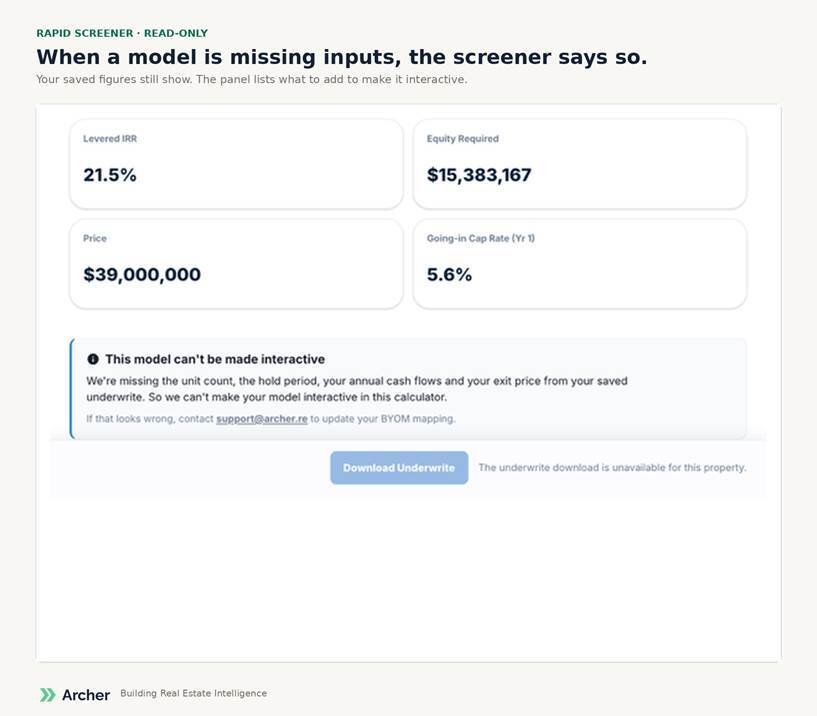
Four things you might see
- Read-only. Your saved figures are shown, but no lever moves. One of the required fields is missing from the model (see below).
- A greyed section. The rest of the deal is live; one panel’s controls are disabled because its inputs are missing. Missing unit mix greys the rent controls; missing loan terms holds leverage where it is.
- A hidden metric. One tile can’t be drawn; everything else works.
- A lever that doesn’t do much. Present but without the data to act on. Hover for the reason.
What the screener needs from your model (Archer Connection tab): a purchase price, unit count, hold period, exit price, total cost or equity required, a loan amount if the deal is levered, and annual or monthly cash flows that reach the hold year. The cash flow rows also need to compose: revenue less operating expenses should equal NOI, and NOI less reserves less debt service should reach the property-level cash flow.
What to do: open the model, complete the missing inputs on the Archer Connection tab, and save to Archer. The screener updates on the next load. If you’d rather we look, reply to the launch email or contact support; Michael or Alexa will check the model with you.