![logo-green.png]](https://www.help.archer.re/hs-fs/hubfs/logo-green.png?height=40&name=logo-green.png)
Deal Sourcing can now filter and sort by Archer’s estimates.
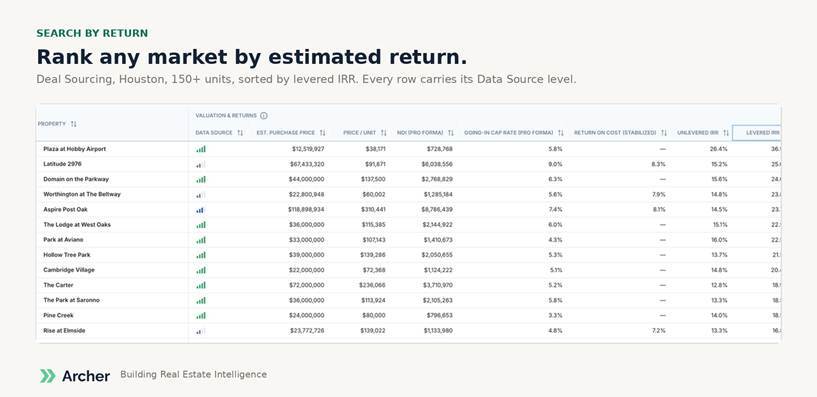
The filters: Estimated Return (levered IRR), Equity Check (estimated equity required), Estimated Purchase Price, and Data Source. Combine them with any existing filter.
Sorting: click any Valuation & Returns column header to sort. Sort by return to see what pencils; sort by equity check to see what fits your fund.
Properties without an estimate stay in your results until you apply a valuation filter. This is intentional: nothing disappears from a search just because we couldn’t estimate it. Most properties with five or more units carry an estimate. If you’re seeing many blanks, set a minimum unit count.
Opening a result: click a row to open the Rapid Screener on that property.
Known issue: the valuation filter can take several seconds to apply and doesn’t yet show a loading state. We’re fixing this.