![logo-green.png]](https://www.help.archer.re/hs-fs/hubfs/logo-green.png?height=40&name=logo-green.png)
What it does
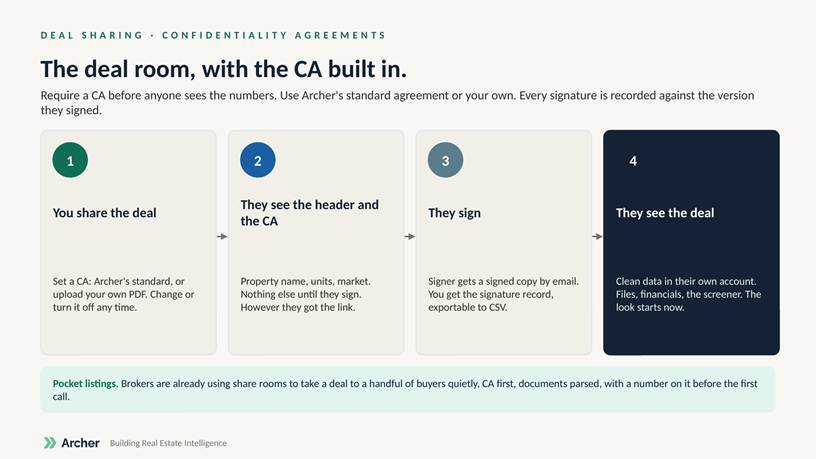
When you share a deal, you can require recipients to sign a Confidentiality Agreement before they see anything beyond the property header. Use Archer’s standard CA or upload your own PDF. You can change the agreement or turn the requirement off at any time.
What recipients see
Until they sign: the property name, units and market, and the agreement. After they sign: the full share room. This applies however they got access: invite, link, approved request, or existing access. The email share link now opens the CA or the share room directly.
Records
Signers receive a signed copy by email. You see a signature record for the share, exportable to CSV. Every version of the agreement is kept, so each signature stays tied to the version that person signed.
Turning it on
CAs are enabled per account. New accounts have it on by default. If you don’t see the CA option when creating a share, reply to the launch email or contact support and we’ll turn it on.
FAQ
Can I use my own agreement? Yes. Upload a PDF when you set the CA on a share.
Can I change the CA after people have signed? Yes. Earlier signatures stay tied to the version they signed; new recipients see the new version.
Does this work for pocket listings? That’s exactly how brokers are using it: a quiet share to a handful of buyers, CA first, documents parsed, a number on the deal before the first call.