![logo-green.png]](https://www.help.archer.re/hs-fs/hubfs/logo-green.png?height=40&name=logo-green.png)
What blind comps are
Sometimes a broker or property manager shares live financials — a T12 or rent roll — but won't tell you which property they came from. You can't match the data to a real property record, but it's still real market data and you still want it in your comp set.
Archer doesn't require a confirmed property match to store financials. The workaround: create a placeholder property record in the right market, give it the attributes you know, and parse the documents against it. This is one of the more useful ways to keep building your proprietary data set even when the source won't disclose the property.
Step 1: Grab a placeholder property record
Go to Deal Sourcing and search the submarket where you'd expect the property to sit — pick an area of the MSA that's representative of this type of property. Set the property type filter to Retail, Industrial, or Land, and pick a record you don't otherwise care about.
Why a non-multifamily record? You're going to overwrite its attributes anyway, and starting from a record you'd never underwrite keeps your real pipeline clean.
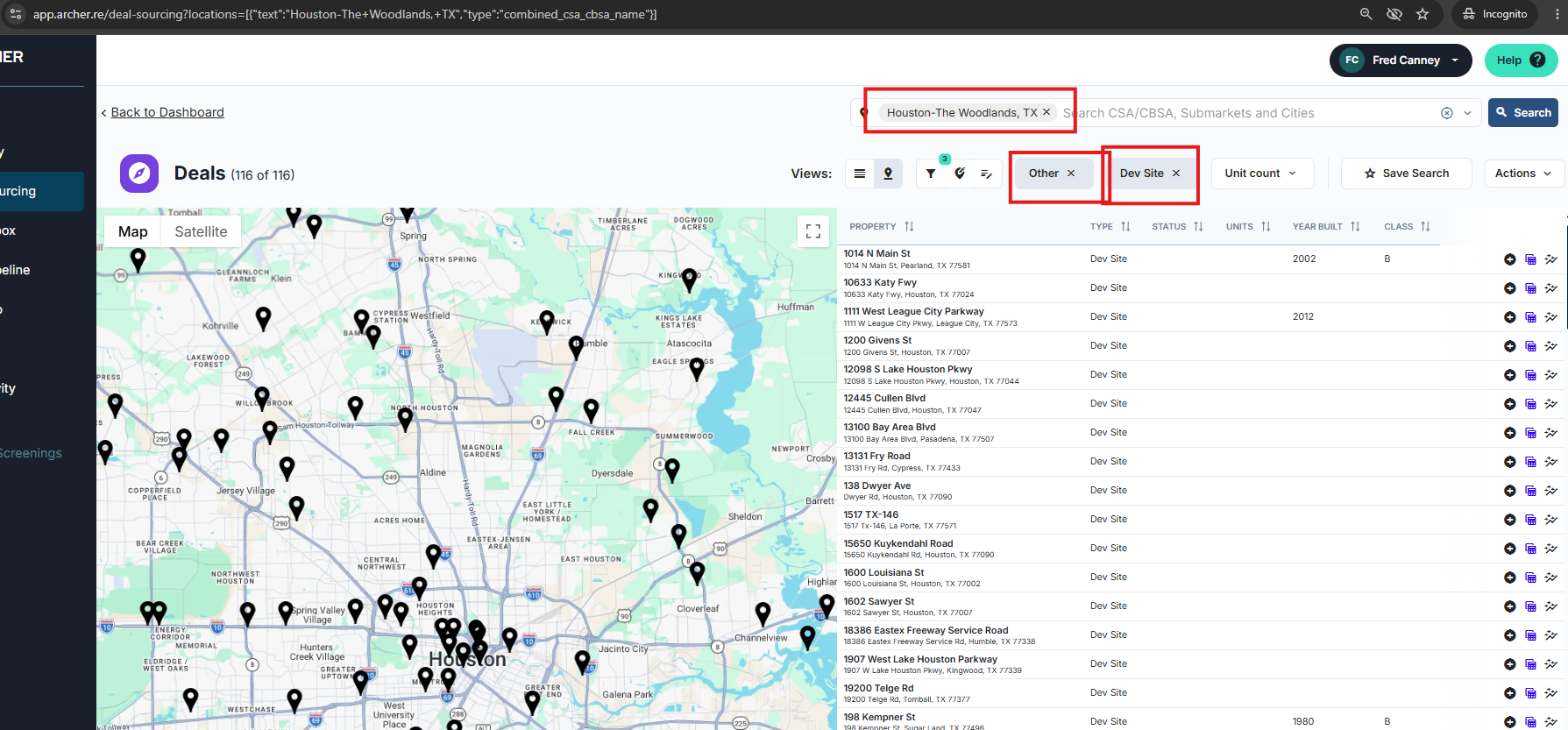
[SCREENSHOT 1: Deal Sourcing — submarket search with property type filter]
Step 2: Edit the property attributes
Click into the property and click Edit on the Property Attributes card.
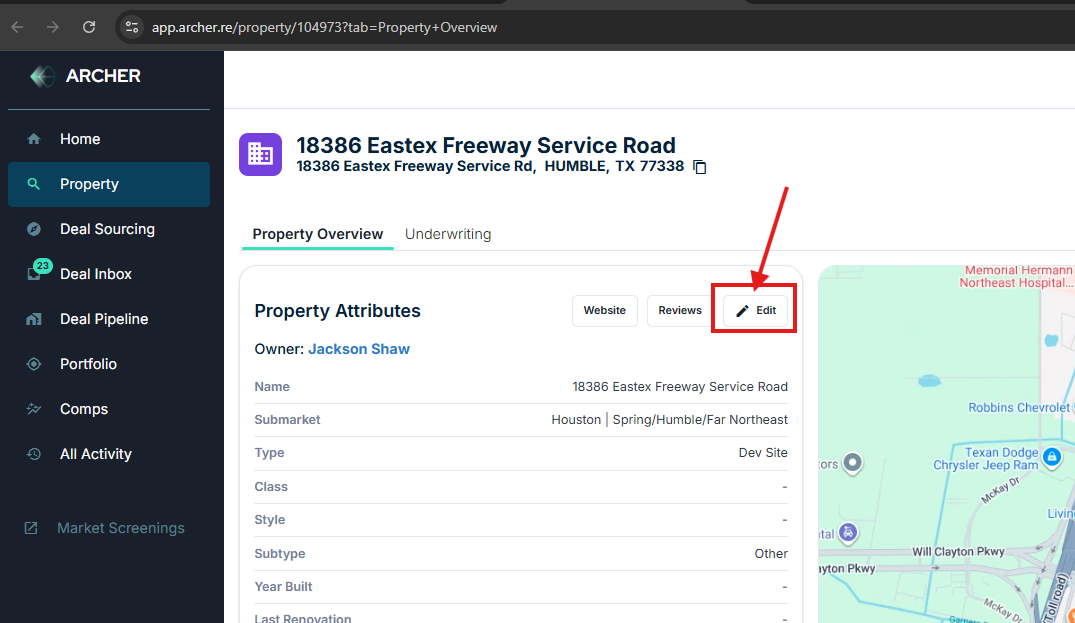
[SCREENSHOT 2: Property page — Edit button on Property Attributes]
Step 3: Set the attributes to match the blind comp
Change the property type to Apartment and fill in everything you know from the financials or the source: year built, unit count, class, style. Rename the property something you'll recognize later — for example, "Unknown — Phoenix Class A, 250 units, 2025."
Be as accurate as you can here. Comp matching runs on these attributes plus location, so the closer they match the real property, the better Archer can judge when this data is relevant to a future deal.
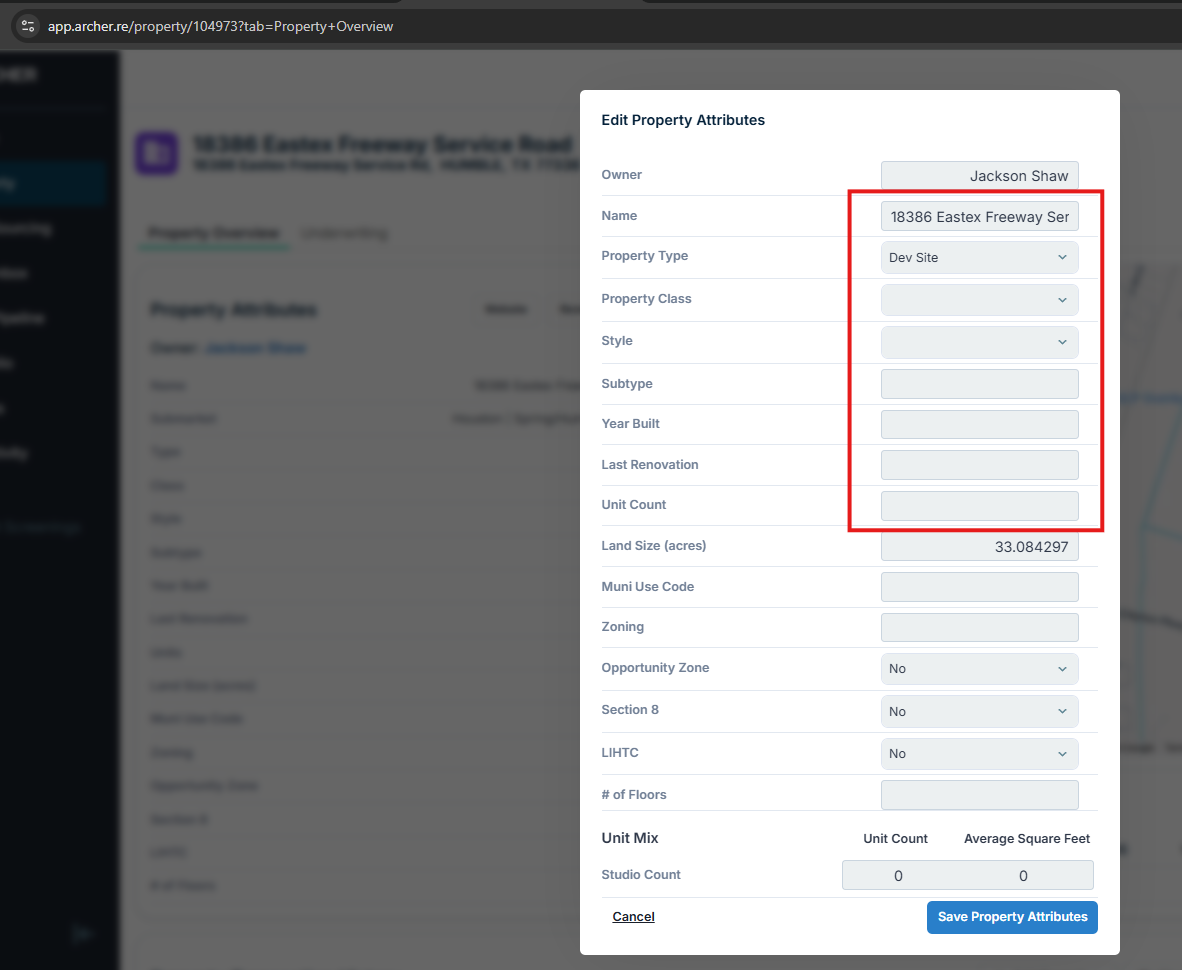
[SCREENSHOT 3: Edit Property Attributes modal — name, type, year built, unit count]
Step 4: Parse the documents
Parse the rent roll and/or T12 against this property like any other deal, and complete your mapping adjustments the same way you would for any T12 or rent roll. Once saved, the data is stored against this property as a custom comp.
From then on, whenever you run an underwrite in a nearby market, Archer looks at your available data and — if this comp is relevant based on the attributes and location you set — returns it as both a rent comp and an expense comp.
Tips
- Use a consistent naming convention. Starting names with "Unknown —" makes every blind comp easy to find later, and impossible to confuse with a real deal.
- Location matters as much as attributes. Place the record where a property like this would plausibly exist — comp matching is distance-weighted.
- This feeds the same flywheel. Blind comps sit alongside the comps you build automatically from your own deal flow — see The comps flywheel and Adding and managing custom comps.